
IDPhotoSize
Official ID Photo Resizer — Free, instant & private. Your photo never leaves your device.
Give your photo the identity it deserves!
The '4x6' Rule: Make Your Thai Immigration Photo Perfect
Applying inside Thailand for a Visa Extension, Re-entry Permit, Work Permit, or Visa on Arrival? Thai Immigration strictly enforces the 'Four-by-Six' (4x6 cm) rule. Submitting a standard 35x45mm passport photo here guarantees a rejection. This tool perfectly crops your photo to the 40x60mm domestic standard.
Select photo size
40×60 mm (4x6 cm), pure white background, for domestic immigration
Drop your photo here
or click to browse — JPG, PNG, WEBP
Your photo never leaves your device
Related Tools
Photo Requirements
- Size: Strictly 40×60 mm (4x6 cm / 'See-Koon-Hok')
- Head Size: Chin to crown must occupy 70-80% of the height
- Background: Pure white required for digital scanning
- Expression: Neutral, mouth closed, no teeth visible
- Glasses: Absolutely REMOVED to avoid glare rejection
- Print: Must be printed on professional matte/glossy photo paper
Your Photo, Done Right
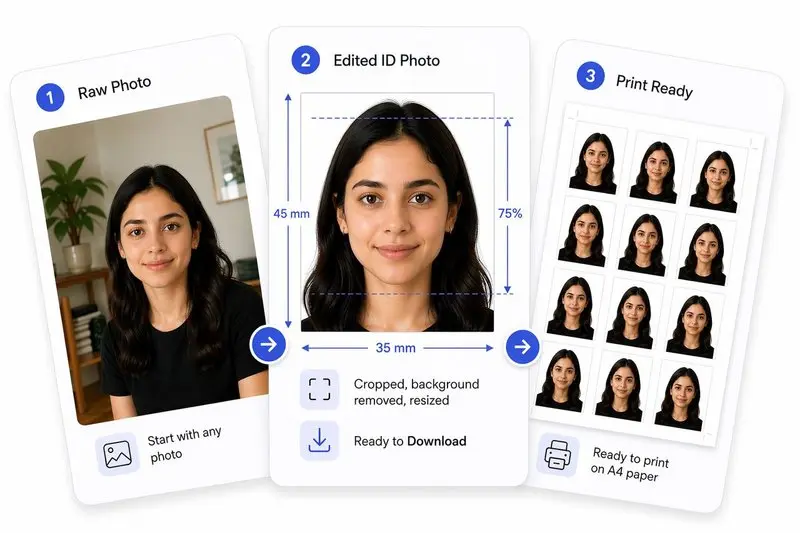
Prepare Your Photo in 3 Steps
Upload Your Photo
Upload any photo — we'll detect your face automatically.
Adjust in One Tap (or Fine-Tune)
Use Auto Ready to quickly centre, align, crop, and clean the background. Prefer more control? Adjust everything yourself anytime.
Download & Use Anywhere
Download your photo for online use, or arrange it on a sheet for easy printing.
How to Use This Tool
- Upload a photo taken within the last 6 months.
- Align the face oval. Ensure your head occupies 70-80% of the image height.
- Check your posture: ensure you are perfectly square to the camera with no shoulder tilt.
- Click Apply, then select Remove Background to ensure a pure white backdrop.
- Use the Photo Analysis panel to ensure eyes are open and expression is neutral.
- Download the photo and print on professional photo paper. (Do not staple through the face!)
Frequently Asked Questions
- Can I use an old photo?
- No. Photos must be taken within 6 months. Officers often compare your photo to previous extensions in your passport. If it's identical to an older visa, it will be rejected.
- What is the most common reason for rejection at Chaeng Watthana?
- Submitting a standard 3.5x4.5 cm 'Western' passport photo instead of the required 4x6 cm size. You must explicitly request 'Visa Photo' or 'Four-by-Six' if using a shop.
- What should I wear?
- Wear a collared shirt in a dark color (Navy, Black, Dark Grey) for high contrast against the white background. Avoid white shirts.
- Can I take a photo of my baby?
- Yes, but no support (parents' hands) can be visible. The baby must be awake with eyes open, and pacifiers or toys must be removed. Lay the baby on a white blanket and shoot from above.
Need a different size or country?
Open the Full ID Photo Tool — 30+ Sizes