
IDPhotoSize
Official ID Photo Resizer — Free, instant & private. Your photo never leaves your device.
Give your photo the identity it deserves!
Compress Your Photo to Under 1MB
A 1MB file limit is the standard default cap for general web forms, email attachments, content management systems (WordPress, Drupal), and municipal e-government portals. Modern smartphone cameras capture images at 5MB to 15MB, which frequently trigger upload errors. This tool shrinks your images to under 1MB instantly without leaving your device.
Drop your photo here
or click to browse — JPG, PNG, WEBP
Your photo never leaves your device
Related Tools
Photo Requirements
- Output file size: Under 1MB (1,000 KB)
- Format: JPEG or PNG
- Compatible with: Email attachments, web form uploads, college portal submissions, CMS profile uploads
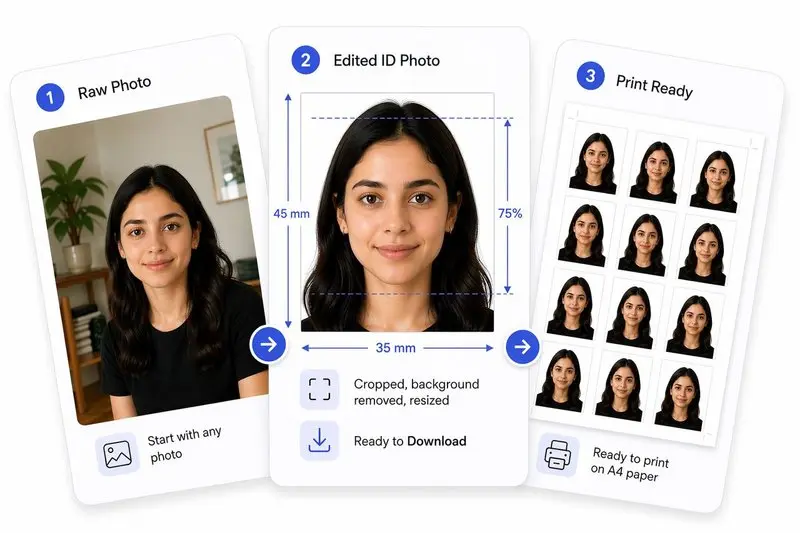
Your Photo, Done Right
Prepare Your Photo in 2 Steps
Upload Your Photo
Upload any photo — we'll detect your face automatically.
Hit Your File Size & Download
Set a target size (e.g. 50 KB) and download the compressed photo instantly.
How to Use This Tool
- Upload your photo (JPG, PNG, or WEBP).
- The tool targets a maximum size of 1MB.
- Preview the optimized image.
- Download your ready-to-upload photo.
Frequently Asked Questions
- Why do web forms and email clients reject photos over 1MB?
- Many web server configurations (such as standard Nginx and PHP setups) default to 1MB or 2MB upload limits, rejecting larger files with '413 Request Entity Too Large' errors. Compressing to under 1MB guarantees smooth uploads across all web systems.
- How much quality is preserved when compressing a 10MB photo to 1MB?
- Over 95% of perceptual visual quality is retained. Compressing a 12–48 megapixel smartphone portrait down to 1MB reduces redundant pixel depth while preserving complete facial detail, sharpness, and vibrant colors.
- Should I use 1MB for passport or visa applications?
- Only if the specific visa or government portal permits 1MB. Many official passport and visa systems enforce stricter caps (such as 50KB or 200KB). Check your portal requirements or use our dedicated 50KB / 200KB tools.
- Is my photo processed securely?
- Yes. All processing is 100% client-side. Your photo never touches our servers or any cloud infrastructure.
Need a different size or country?
Open the Full ID Photo Tool — 30+ Sizes